Hello Hugo
This post records how I set up this blog using Hugo, PaperMod, and GitHub Pages.
0. The Technology Stack
The overall workflow looks like this:
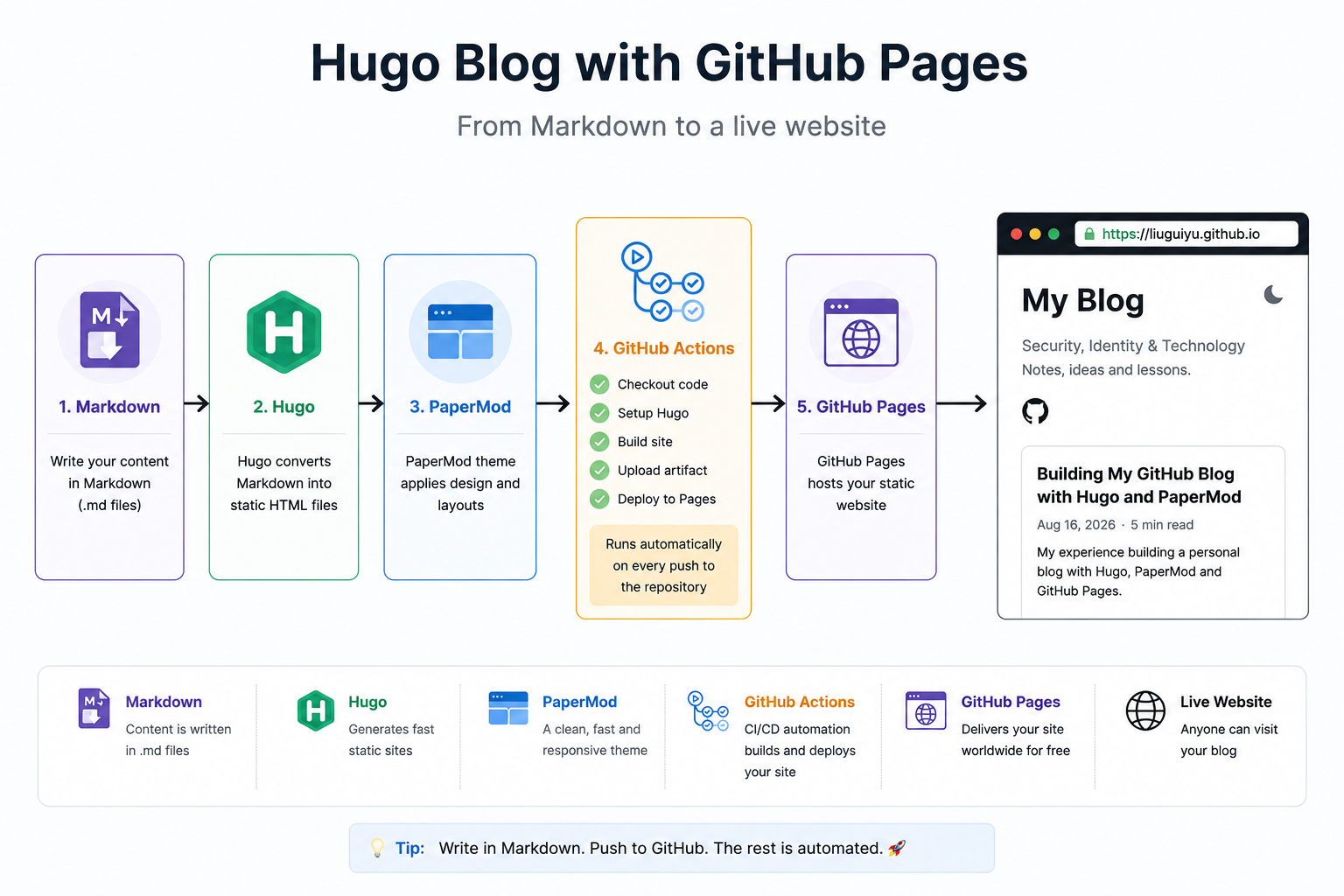
1. Make sure Hugo version is greater than 0.158.0
Check the Hugo version:
hugo version
2. Install PaperMod
git submodule add --depth=1 https://github.com/adityatelange/hugo-PaperMod.git themes/PaperMod
3. Make a blog directory
mkdir d:\blog
4. In the directory, create Hugo site
hugo new site liuguiyu.github.io
5. Edit hugo.toml to be:
baseURL = 'https://liuguiyu.github.io/'
languageCode = 'en-us'
title = 'My Blog'
theme = 'PaperMod'
[params]
  defaultTheme = 'auto'
  ShowReadingTime = true
  ShowShareButtons = true
  ShowPostNavLinks = true
  ShowCodeCopyButtons = true
6. Create first blog
hugo new content/posts/my-first-post.md
7. Edit the blog
refer to https://www.markdownguide.org/basic-syntax/
8. create .gitignore file
Make sure the /public folder will never commit to github.
/public/
/resources/
.hugo_build.lock
.DS_Store
9. Verify using git status & git submodule status
git status
git submodule status
10. Commit for the first time
git commit -m "Initial Hugo blog"
11. Connect to remote GitHub repository
git remote add origin https://github.com/liuguiyu/liuguiyu.github.io.git
git remove -v
12. Git push, triger Github action
git push
13. 404 error
The site works corretly on localhost, so 404 error normally caused by invalid hugo.yml, try use Hugo recommaned configuration.
14. GitHub Pages Deployment Failed
The GitHub Actions log showed:
Creating Pages deployment failed
and
status: 503
No server is currently available to service your request.
The failure happened when GitHub tried to create the Pages deployment. I checked with Copilot, turns out GitHub itself was experiencing an outage.
refer to: https://devops.com/github-hit-by-widespread-outage-halting-work-for-global-developers/
15. Add comments and analysis
create \layouts\partials\comments.html and \layouts\partials\extend_footer.html
for comments, we can use https://giscus.app/zh-CN
for analysis, we can use https://busuanzi.ibruce.info/
16. Add SEO
Go to https://search.google.com/search-console/welcome, add your website, google will generate a html for verification, you will need put the html into \static folder.